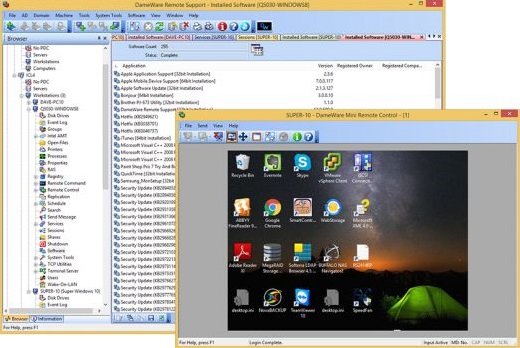
Description: DameWare Remote Support (DRS) is an affordable and easy-to-use systems administration and remote IT support tool that allows you to simplify and accelerate customer support. Wherever your end-users are located, you can remotely access their systems with the built-in DameWare Mini Remote Control software, and use the system tools on the DameWare Remote Support console to provide faster remote assistance.
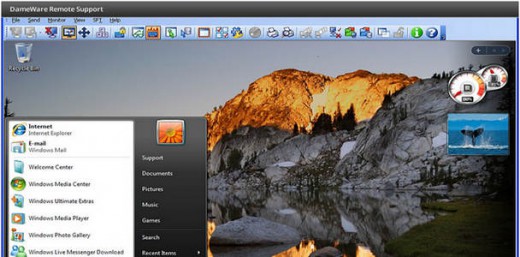
Top 5 Reasons to Use DameWare Remote Support Software
- Remote control Windows®, Linux®, and Mac OS® X systems
- Built-in tools for remote system monitoring, AD management, network diagnostics, and more
- Gain remote access to computers inside and outside the network firewall
- Deliver on-the-go remote assistance from iOS® and Android® mobile devices
- Remote IT support software for unlimited end-users
Remotely Control Desktops, Laptops & Servers
DameWare Remote Support includes Mini Remote Control (MRC), the award winning desktop sharing software used by thousands of IT pros worldwide for remote IT support. With MRC users can:
- Share a screen with end-users
- Transfer files during remote control sessions
- Initiate MRC, RDP or VNC sessions
- Chat with end-users
- Remotely control Windows, Mac OS X and Linux computers
Securely Access Computers Outside the Firewall
When deployed with the DameWare Central Server & Internet Proxy, DRS lets you provide remote IT support to end-users anywhere in the world. Through the Internet Proxy, users can:
- Initiate secure remote troubleshooting sessions
- Remotely control computers outside the firewall
- Communicate with end-users via chat
Centrally Manage Users, Licenses, and Host Lists
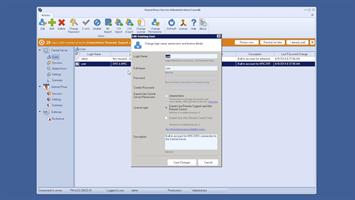
DameWare Remote Support now includes the DameWare Central Server & Administration Console with advanced management features. With the Administration Console, users can:
- Manage all DameWare users and permissions
- Create and share the Global Host List
- Control and activate all DRS and MRC licenses
- View current Internet and mobile sessions
Support End-Users from Your iOS or Android Device
DameWare Remote Support includes a mobile app for Android smartphones and tablets as well as iPhones and iPads. With DameWare Mobile, you can:
- Remotely control Windows computers
- Support servers & workstations from Android or iOS devices
- Troubleshoot end-user problems from anywhere
Perform Windows Administration Tasks Remotely
DameWare Remote Support lets you troubleshoot Windows computers remotely WITHOUT having to initiate full remote control sessions! DRS includes remote IT support tools that let you:
- Restart services and processes
- Manage disks, shares & peripherals
- Monitor system performance
- View and clear event logs
- Edit registries
Manage Multiple Active Directory Domains
DameWare Remote Support gives you the ability to manage multiple Active Directory domains from one software interface! From the DRS console, you can:
- Unlock user accounts & reset passwords
- Manage Organizational Units
- Update AD extended attributes
- Add users to distribution or security groups
- Edit Group Policies
Support Computers Remotely via Intel vPro AMT
DameWare Remote Support software lets you troubleshoot computers regardless of the state of their operating system with built-in Intel vPro AMT features. With DRS, you can:
- Remotely control computers with the AMT KVM Viewer
- Restart crashed computers
- Wake sleeping or hibernating computers
- Change BIOS settings of remote computers
Export AD Objects & Windows Configurations
DameWare Remote Support includes a tool that lets you export AD Objects and WMI information in bulk to CSV or XML formats. With the DameWare Exporter tool, you can:
- View software inventory on remote computers
- Manage configurations settings across your network
- Export Active Directory objects like users & groups
- View system properties of all Windows computers on your network
Smart Card Login & Smart Card Authentication
DameWare Remote support is the first remote support software to offer Smart Card login and authentication. Without using any Smart Card reader or other middleware, you can benefit from two-factor authentication for remote desktop connections in secure networks such as in Federal Government agencies.
Release Name: DameWare Remote Support 12.2.4.11
Size: 174.4 MB
Links: HOMEPAGE – NFO – Torrent Search
Download: UPLOADGiG – NiTROFLARE – RAPiDGATOR