Please REGISTER or RENEW your account on RAPiDGATOR.net and support us by doing through all RAPiDGATOR working download links on main posts...

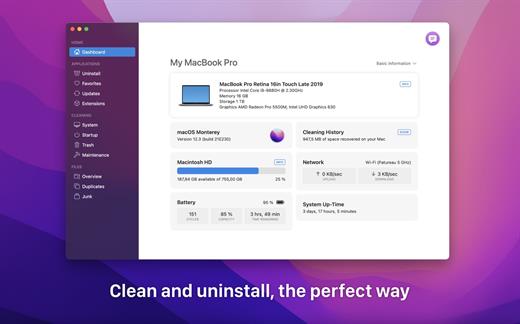
TrashMe 3 lets you clean your Mac and uninstall your apps, the perfect way.
Manage your apps
- TrashMe will find all related files to be removed for an app, like preferences, caches, logs…
- The Smart mode will automatically open TrashMe when you put apps in the Trash.
- Manage a list of favorite apps and store registration info (invoice, license key…).
- Automatically check for updates for apps installed on your Mac and display the change log.
Clean your Mac
- Remove system caches in order to solve some issues and free up hard disk space.
- Delete other system files like Xcode files, crash reports, Mail downloads, orphans…
- Remove all these files you really don’t need (Windows files, incomplete downloads…).
Files overview
- Scan a folder for duplicates, compare versions and delete unwanted ones.
- Discover the space occupied by files and folders thanks to a visual interactive map.
Maintenance
- Show all apps and processes launched at login and disable them with one click.
- Execute several maintenance scripts to solve specific issues on your Mac.
- Display all items in your Trash and selectively delete desired items.
System information
- Display useful information about your Mac like CPU usage or battery status, in the menubar.
Languages: English, French, Spanish, German and Brazilian Portuguese. Supports macOS dark mode and Apple M1/M2 processor.
What’s New
Version 3.5.4:
New:
- Apps list can now be sorted by modification date
- Added support for AirPods Pro 2
Fixed:
- Fixed AirPods missing in accessories list (macOS Ventura)
- Fixed an issue with Microsoft Teams update check
- Fixed other small issues
Compatibility macOS 10.13 or later
Apple Silicon or Intel Core processor
Release Name: TrashMe 3.5.4
Size: 24.8 MB
Links: HOMEPAGE – NFO – Torrent Search
Download: FiKPER – UPLOADGiG – NiTROFLARE – RAPiDGATOR

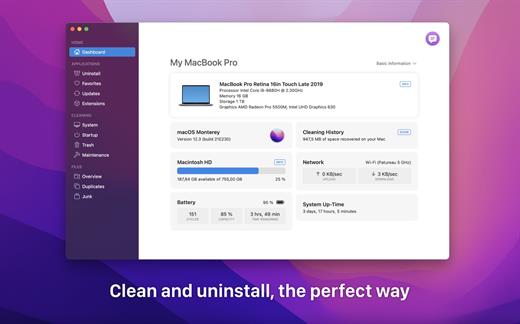
TrashMe 3 lets you clean your Mac and uninstall your apps, the perfect way.
Manage your apps
- TrashMe will find all related files to be removed for an app, like preferences, caches, logs…
- The Smart mode will automatically open TrashMe when you put apps in the Trash.
- Manage a list of favorite apps and store registration info (invoice, license key…).
- Automatically check for updates for apps installed on your Mac and display the change log.
Clean your Mac
- Remove system caches in order to solve some issues and free up hard disk space.
- Delete other system files like Xcode files, crash reports, Mail downloads, orphans…
- Remove all these files you really don’t need (Windows files, incomplete downloads…).
Files overview
- Scan a folder for duplicates, compare versions and delete unwanted ones.
- Discover the space occupied by files and folders thanks to a visual interactive map.
Maintenance
- Show all apps and processes launched at login and disable them with one click.
- Execute several maintenance scripts to solve specific issues on your Mac.
- Display all items in your Trash and selectively delete desired items.
System information
- Display useful information about your Mac like CPU usage or battery status, in the menubar.
Languages: English, French, Spanish, German and Brazilian Portuguese. Supports macOS dark mode and Apple M1/M2 processor.
What’s New
Version 3.5.3:
New:
- Apps list can now be sorted by modification date
- Added support for AirPods Pro 2
Fixed:
- Fixed AirPods missing in accessories list (macOS Ventura)
- Fixed an issue with Microsoft Teams update check
- Fixed other small issues
Compatibility macOS 10.13 or later
Apple Silicon or Intel Core processor
Release Name: TrashMe 3.5.3
Size: 24.8 MB
Links: HOMEPAGE – NFO – Torrent Search
Download: UPLOADGiG – NiTROFLARE – RAPiDGATOR



