Please REGISTER or RENEW your account on RAPiDGATOR.net and support us by doing through all RAPiDGATOR working download links on main posts...
Dec 8

WinTools.net 25.13.1

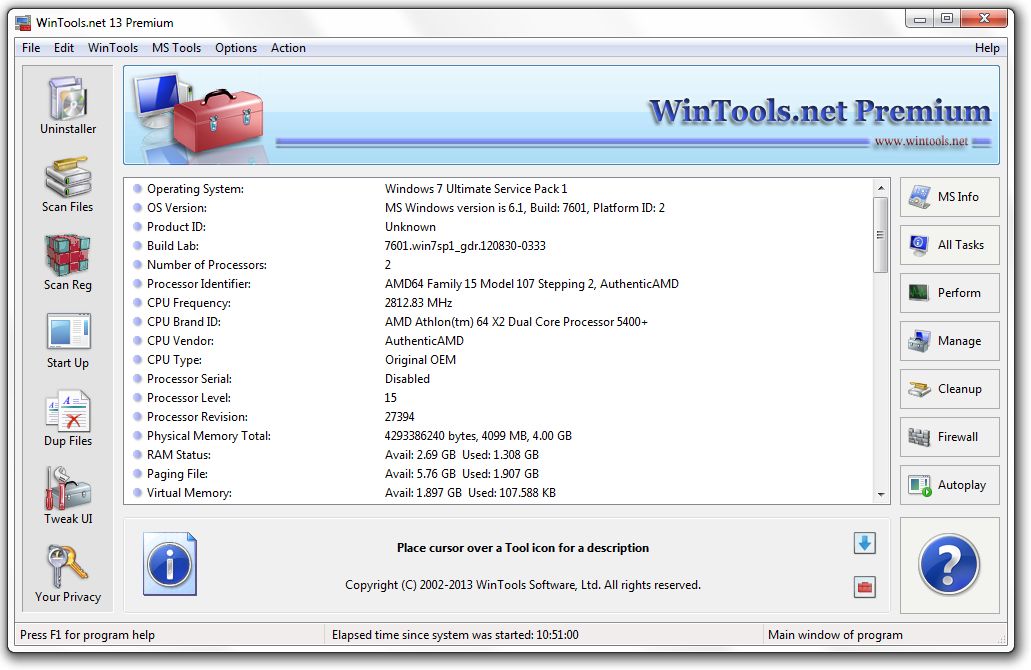
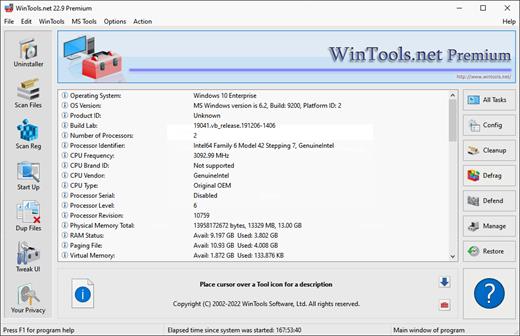
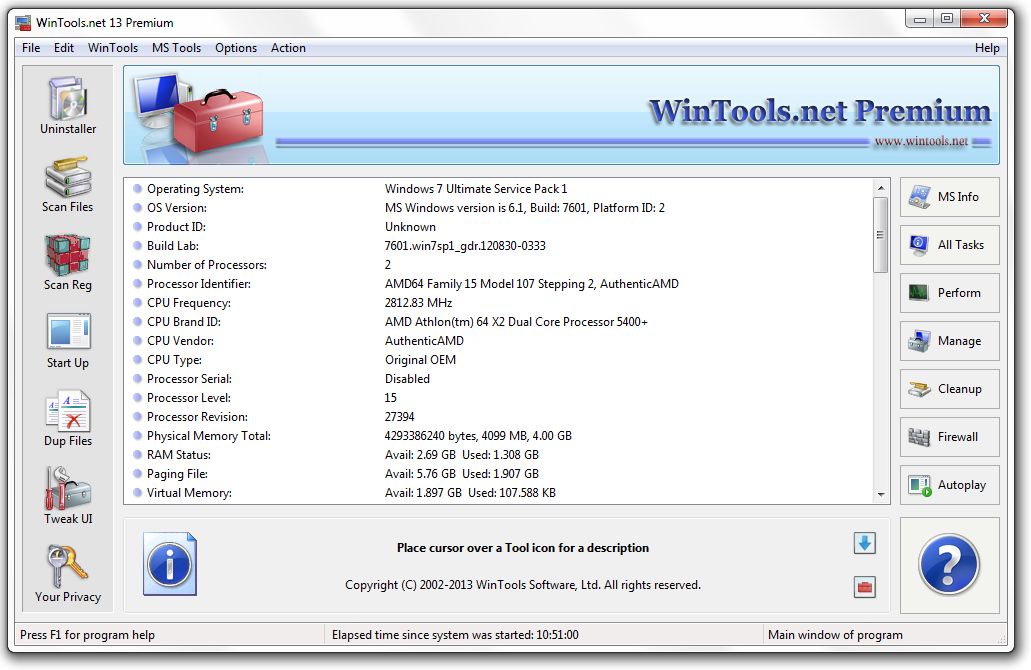
Description: WinTools.net is a comprehensive suite of tools designed to boost the performance of your MS Windows operating system. WinTools.net not only removes unwanted software and dead references from your disk drives and registry, but it also puts you in control of your MS Windows startup process and memory monitoring.
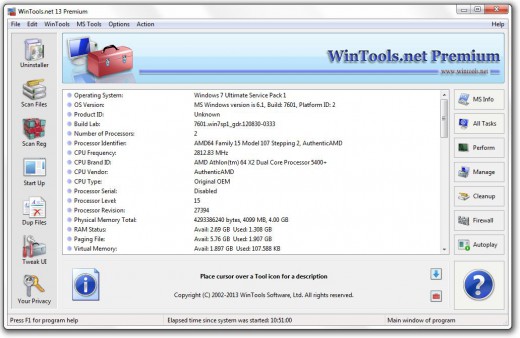
With the ability to customize your desktop and system settings, you can tailor your computing environment to fit your specific needs. WinTools.net also enhances the speed and stability of your internet connection, ensuring a smoother online experience. Prioritizing your privacy, it keeps your sensitive information secure.

WinTools.net includes tools such as Clean Uninstaller, Scan Files, Scan Shortcuts, Scan Registry, Startup Manager, Tweak UI, Net Tweaker, The Privacy, Invisible Man, File Shredder, and more. Whether you’re using a home PC or the most advanced dedicated servers, these tools are guaranteed to enhance your computer’s performance. Experience the difference with WinTools.net!

The WinTools.net software is available in three editions: Home, Professional, and Premium. Each edition is tailored to cater to different user needs, from basic home use to advanced professional requirements. Experience the power of optimization with WinTools.net!

clean uninstaller
is utilized for both the accurate uninstallation of software and for tracking modifications made to the hard drive, MS Windows registry, and system files during the installation of a program.

scanfiles
is used for periodic cleaning of your hard drive from dead references, junk, and obsolete files produced by different software. These files and references persist on the hard disk, leading to increased drive access time.

scanshortcuts
is utilized to periodically scan shortcuts of the MS Windows operating system in order to identify, rectify, or eliminate shortcuts with dead or broken links.

scanregistry
is employed for the regular cleaning of the MS Windows registry, removing unused applications that remain after uninstallation and invalid references that decrease system speed and system loading time.

startupmanager
permits you to monitor, add, remove, enable, and/or disable individual startup items. It modifies applications that are initialized during the loading process of the operating system.

objectseraser
eliminates traces of activity on your computer. It purges the history of initiated programs, search history, history of recently opened documents, and browsing history of various internet browsers.

systemtweaker
is a collection of supplementary adjustments related to safety, system capacity, and user preferences that are not encompassed in the basic components of MS Windows.

nettweaker
is used to enhance the speed and stability of the Internet connection by utilizing hidden system settings. It corrects TCP/IP connection errors and updates caches.

duplicatefiles
is a user-friendly tool that assists you in locating and eradicating duplicate files (files that have identical content, but not necessarily the same name) from your computer.

invisibility
is utilized for storing private information and its subsequent restoration. This is beneficial if you prefer not to have any information retained by the system.

fileshredder
is a tool that shreds and permanently eliminates unwanted files and the contents of selected folders from your computer, making recovery impossible.

Release Name: WinTools.net 25.13.1
Size: 7.3 MB
Links: HOMEPAGE – NFO – Torrent Search

Download: RAPiDGATOR

6 Comments
Dec 26

WinTools.net v24.0 (All Editions) + Serials

WinTools.net Overview

WinTools.net is a suite of tools for Windows operating system optimizing and increasing performance. This suite lets you cleanly remove unwanted software from disk drives and dead references from the Windows registry. WinTools.net Professional puts you in control of the Windows start up process, memory monitoring and gives you the power to customize desktop and system settings to fit your needs. Also it ensures your privacy and keep sensitive information secure, adds more speed and stability for your connection.

WinTools.net Professional contains tools: Clean Uninstaller, Scan Files, Scan Shortcuts, Scan Registry, Startup Manager, Tweak UI, Net Tweaker, The Privacy, Invisible Man, File Shredder…

Key Features of WinTools.net

Clean Uninstaller
Use it for correctly removing software. Also for monitoring changes made to the hard drive, MS Windows registry and system files during program installations.
Scan Files
For periodic cleaning of your hard drive from dead references, junk and obsolete files produced by different software. These files and references remain on the hard disk and increase drive access time.
Scan Registry
Use it periodic the MS Windows registry cleaning from unused applications remaining after uninstallation and from invalid references which decrease system speed and system loading time.
Start Up Manager
This tool allows you to monitor, add, remove, enable and/or disable individual startup items. You can also adjust applications initialized during the loading process of the operating system.
Tweak UI
This is a set of additional adjustments related to safety, system capacity and user preferences. And which are not included in the basic components of MS Windows.
Net Tweaker
The tool is used for speed increasing of data transfer and for greater stability of connection by changing hidden network settings.
The Privacy. This is a kit of tools which ensure your privacy and keep sensitive information secure. It consists of three basic parts: “Objects to Erase”, “Invisible Man” and “File Shredder”.
Invisible Man
This tool is used for saving private information and its later restoration. This is useful if you don’t want any information saved by the system.
File Shredder
This tool is for secure deleting documents, programs, and any other files without possibility to restore them.
Memory Booster (free). This tool serves for monitoring, cleaning and optimisation of RAM. It is used for increasing of operation system performance and for releasing RAM for usage by other processes.

Release Name: WinTools.net v24.0 (All Editions) + Serials
Size: 5.6 MB
Links: HOMEPAGE – NFO – Torrent Search

Download: FiKPERUPLOADGiGNiTROFLARERAPiDGATOR

9 Comments
Dec 11

WinTools.net v23.0 (All Editions) + Fix

Description: WinTools.net is a suite of tools for increasing MS Windows operating system performance. WinTools.net cleanly removes unwanted software from disk drives and dead references from the MS Windows registry. WinTools.net puts you in control of the Windows startup process, memory monitoring and gives you the power to customize desktop and system settings to fit your needs. Adds more speed and stability for your connection. Ensures your privacy and keep sensitive information secure. WinTools.net Premium contains tools: Clean Uninstaller, Scan Files, Scan Shortcuts, Scan Registry, Startup Manager, Tweak UI, Net Tweaker, Your Privacy, Invisible Man, File Shredder…

Features:


  • Clean Uninstaller: This tool is used for both correctly removing software and for monitoring changes made to the hard drive, MS Windows registry and system files during program installations.
  • Scan Files: This tool is used for periodic cleaning of your hard drive from dead references, junk and obsolete files produced by different software. These files and references remain on the hard disk and increase drive access time.
  • Scan Registry: This tool is used for periodic cleaning of the MS Windows registry from unused applications remained after uninstallation and from invalid references which decrease system speed and system loading time.
  • Start Up: This is a startup manager. This tool allows you to monitor, add, remove, enable and/or disable individual startup items. You can also adjust applications initialized during the loading process of the operating system.
  • Tweak UI: This is a set of additional adjustments related to safety, system capacity and user preferences and which are not included into basic components of MS Windows.
  • Net Tweaker: This tool is used for speed increasing of data transfer by changing hidden network settings. With equal speed connection on different computers different speed of data transfer is possible.
  • The Privacy: This is a kit of tools which ensure your privacy and keep sensitive information secure.
Release Name: WinTools.net v23.0 (All Editions) + Fix
Size: 6 MB
Links: HOMEPAGE – NFO – Torrent Search

Download: UPLOADGiG – NiTROFLARE – RAPiDGATOR

5 Comments
July 29

WinTools.net v22.7 (All Editions) + Fix

Description: WinTools.net is a suite of tools for increasing MS Windows operating system performance. WinTools.net cleanly removes unwanted software from disk drives and dead references from the MS Windows registry. WinTools.net puts you in control of the Windows startup process, memory monitoring and gives you the power to customize desktop and system settings to fit your needs. Adds more speed and stability for your connection. Ensures your privacy and keep sensitive information secure. WinTools.net Premium contains tools: Clean Uninstaller, Scan Files, Scan Shortcuts, Scan Registry, Startup Manager, Tweak UI, Net Tweaker, Your Privacy, Invisible Man, File Shredder…

Features:


  • Clean Uninstaller: This tool is used for both correctly removing software and for monitoring changes made to the hard drive, MS Windows registry and system files during program installations.
  • Scan Files: This tool is used for periodic cleaning of your hard drive from dead references, junk and obsolete files produced by different software. These files and references remain on the hard disk and increase drive access time.
  • Scan Registry: This tool is used for periodic cleaning of the MS Windows registry from unused applications remained after uninstallation and from invalid references which decrease system speed and system loading time.
  • Start Up: This is a startup manager. This tool allows you to monitor, add, remove, enable and/or disable individual startup items. You can also adjust applications initialized during the loading process of the operating system.
  • Tweak UI: This is a set of additional adjustments related to safety, system capacity and user preferences and which are not included into basic components of MS Windows.
  • Net Tweaker: This tool is used for speed increasing of data transfer by changing hidden network settings. With equal speed connection on different computers different speed of data transfer is possible.
  • The Privacy: This is a kit of tools which ensure your privacy and keep sensitive information secure.
Release Name: WinTools.net v22.7 (All Editions) + Fix
Size: 6 MB
Links: HOMEPAGE – NFO – Torrent Search

Download: UPLOADGiG – NiTROFLARE – RAPiDGATOR

7 Comments
June 24

WinTools.net v22.6 (All Editions) + Fix

Description: WinTools.net is a suite of tools for increasing MS Windows operating system performance. WinTools.net cleanly removes unwanted software from disk drives and dead references from the MS Windows registry. WinTools.net puts you in control of the Windows startup process, memory monitoring and gives you the power to customize desktop and system settings to fit your needs. Adds more speed and stability for your connection. Ensures your privacy and keep sensitive information secure. WinTools.net Premium contains tools: Clean Uninstaller, Scan Files, Scan Shortcuts, Scan Registry, Startup Manager, Tweak UI, Net Tweaker, Your Privacy, Invisible Man, File Shredder…

Features:


  • Clean Uninstaller: This tool is used for both correctly removing software and for monitoring changes made to the hard drive, MS Windows registry and system files during program installations.
  • Scan Files: This tool is used for periodic cleaning of your hard drive from dead references, junk and obsolete files produced by different software. These files and references remain on the hard disk and increase drive access time.
  • Scan Registry: This tool is used for periodic cleaning of the MS Windows registry from unused applications remained after uninstallation and from invalid references which decrease system speed and system loading time.
  • Start Up: This is a startup manager. This tool allows you to monitor, add, remove, enable and/or disable individual startup items. You can also adjust applications initialized during the loading process of the operating system.
  • Tweak UI: This is a set of additional adjustments related to safety, system capacity and user preferences and which are not included into basic components of MS Windows.
  • Net Tweaker: This tool is used for speed increasing of data transfer by changing hidden network settings. With equal speed connection on different computers different speed of data transfer is possible.
  • The Privacy: This is a kit of tools which ensure your privacy and keep sensitive information secure.
Release Name: WinTools.net v22.6 (All Editions) + Fix
Size: 6 MB  / 6.42 MB
Links: HOMEPAGE – NFO – Torrent Search

Download: UPLOADGiG – NiTROFLARE – RAPiDGATOR

Download PROFESSIONAL / PREMIUM / CLASSIC + KEYS: UPLOADGiGNiTROFLARERAPiDGATOR

6 Comments
May 25

WinTools.net v22.5 (All Editions) + Fix

Description: WinTools.net is a suite of tools for increasing MS Windows operating system performance. WinTools.net cleanly removes unwanted software from disk drives and dead references from the MS Windows registry. WinTools.net puts you in control of the Windows startup process, memory monitoring and gives you the power to customize desktop and system settings to fit your needs. Adds more speed and stability for your connection. Ensures your privacy and keep sensitive information secure. WinTools.net Premium contains tools: Clean Uninstaller, Scan Files, Scan Shortcuts, Scan Registry, Startup Manager, Tweak UI, Net Tweaker, Your Privacy, Invisible Man, File Shredder…

Features:


  • Clean Uninstaller: This tool is used for both correctly removing software and for monitoring changes made to the hard drive, MS Windows registry and system files during program installations.
  • Scan Files: This tool is used for periodic cleaning of your hard drive from dead references, junk and obsolete files produced by different software. These files and references remain on the hard disk and increase drive access time.
  • Scan Registry: This tool is used for periodic cleaning of the MS Windows registry from unused applications remained after uninstallation and from invalid references which decrease system speed and system loading time.
  • Start Up: This is a startup manager. This tool allows you to monitor, add, remove, enable and/or disable individual startup items. You can also adjust applications initialized during the loading process of the operating system.
  • Tweak UI: This is a set of additional adjustments related to safety, system capacity and user preferences and which are not included into basic components of MS Windows.
  • Net Tweaker: This tool is used for speed increasing of data transfer by changing hidden network settings. With equal speed connection on different computers different speed of data transfer is possible.
  • The Privacy: This is a kit of tools which ensure your privacy and keep sensitive information secure.
Release Name: WinTools.net v22.5 (All Editions) + Fix
Size: 6 MB
Links: HOMEPAGE – NFO – Torrent Search

Download: UPLOADGiG – NiTROFLARE – RAPiDGATOR

5 Comments
Mar 27

WinTools.net v22.3 (All Editions) + Fix

Description: WinTools.net is a suite of tools for increasing MS Windows operating system performance. WinTools.net cleanly removes unwanted software from disk drives and dead references from the MS Windows registry. WinTools.net puts you in control of the Windows startup process, memory monitoring and gives you the power to customize desktop and system settings to fit your needs. Adds more speed and stability for your connection. Ensures your privacy and keep sensitive information secure. WinTools.net Premium contains tools: Clean Uninstaller, Scan Files, Scan Shortcuts, Scan Registry, Startup Manager, Tweak UI, Net Tweaker, Your Privacy, Invisible Man, File Shredder…

Features:


  • Clean Uninstaller: This tool is used for both correctly removing software and for monitoring changes made to the hard drive, MS Windows registry and system files during program installations.
  • Scan Files: This tool is used for periodic cleaning of your hard drive from dead references, junk and obsolete files produced by different software. These files and references remain on the hard disk and increase drive access time.
  • Scan Registry: This tool is used for periodic cleaning of the MS Windows registry from unused applications remained after uninstallation and from invalid references which decrease system speed and system loading time.
  • Start Up: This is a startup manager. This tool allows you to monitor, add, remove, enable and/or disable individual startup items. You can also adjust applications initialized during the loading process of the operating system.
  • Tweak UI: This is a set of additional adjustments related to safety, system capacity and user preferences and which are not included into basic components of MS Windows.
  • Net Tweaker: This tool is used for speed increasing of data transfer by changing hidden network settings. With equal speed connection on different computers different speed of data transfer is possible.
  • The Privacy: This is a kit of tools which ensure your privacy and keep sensitive information secure.
Release Name: WinTools.net v22.3 (All Editions) + Fix
Size: 6 MB
Links: HOMEPAGE – NFO – Torrent Search

Download: UPLOADGiG – NiTROFLARE – RAPiDGATOR

7 Comments
Feb 16

WinTools.net v22.2 (All Editions) + Fix

Description: WinTools.net is a suite of tools for increasing MS Windows operating system performance. WinTools.net cleanly removes unwanted software from disk drives and dead references from the MS Windows registry. WinTools.net puts you in control of the Windows startup process, memory monitoring and gives you the power to customize desktop and system settings to fit your needs. Adds more speed and stability for your connection. Ensures your privacy and keep sensitive information secure. WinTools.net Premium contains tools: Clean Uninstaller, Scan Files, Scan Shortcuts, Scan Registry, Startup Manager, Tweak UI, Net Tweaker, Your Privacy, Invisible Man, File Shredder…

Features:


  • Clean Uninstaller: This tool is used for both correctly removing software and for monitoring changes made to the hard drive, MS Windows registry and system files during program installations.
  • Scan Files: This tool is used for periodic cleaning of your hard drive from dead references, junk and obsolete files produced by different software. These files and references remain on the hard disk and increase drive access time.
  • Scan Registry: This tool is used for periodic cleaning of the MS Windows registry from unused applications remained after uninstallation and from invalid references which decrease system speed and system loading time.
  • Start Up: This is a startup manager. This tool allows you to monitor, add, remove, enable and/or disable individual startup items. You can also adjust applications initialized during the loading process of the operating system.
  • Tweak UI: This is a set of additional adjustments related to safety, system capacity and user preferences and which are not included into basic components of MS Windows.
  • Net Tweaker: This tool is used for speed increasing of data transfer by changing hidden network settings. With equal speed connection on different computers different speed of data transfer is possible.
  • The Privacy: This is a kit of tools which ensure your privacy and keep sensitive information secure.
Release Name: WinTools.net v22.2 (All Editions) + Fix
Size: 6 MB
Links: HOMEPAGE – NFO – Torrent Search

Download: UPLOADGiG – NiTROFLARE – RAPiDGATOR

6 Comments
Jan 19

WinTools.net v22.1 (All Editions) + Fix

Description: WinTools.net is a suite of tools for increasing MS Windows operating system performance. WinTools.net cleanly removes unwanted software from disk drives and dead references from the MS Windows registry. WinTools.net puts you in control of the Windows startup process, memory monitoring and gives you the power to customize desktop and system settings to fit your needs. Adds more speed and stability for your connection. Ensures your privacy and keep sensitive information secure. WinTools.net Premium contains tools: Clean Uninstaller, Scan Files, Scan Shortcuts, Scan Registry, Startup Manager, Tweak UI, Net Tweaker, Your Privacy, Invisible Man, File Shredder…

Features:


  • Clean Uninstaller: This tool is used for both correctly removing software and for monitoring changes made to the hard drive, MS Windows registry and system files during program installations.
  • Scan Files: This tool is used for periodic cleaning of your hard drive from dead references, junk and obsolete files produced by different software. These files and references remain on the hard disk and increase drive access time.
  • Scan Registry: This tool is used for periodic cleaning of the MS Windows registry from unused applications remained after uninstallation and from invalid references which decrease system speed and system loading time.
  • Start Up: This is a startup manager. This tool allows you to monitor, add, remove, enable and/or disable individual startup items. You can also adjust applications initialized during the loading process of the operating system.
  • Tweak UI: This is a set of additional adjustments related to safety, system capacity and user preferences and which are not included into basic components of MS Windows.
  • Net Tweaker: This tool is used for speed increasing of data transfer by changing hidden network settings. With equal speed connection on different computers different speed of data transfer is possible.
  • The Privacy: This is a kit of tools which ensure your privacy and keep sensitive information secure.
Release Name: WinTools.net v22.1 (All Editions) + Fix
Size: 6 MB
Links: HOMEPAGE – NFO – Torrent Search

Download: UPLOADGiG – NiTROFLARE – RAPiDGATOR

4 Comments
Dec 24

WinTools.net 22.0 Multilingual

Description: WinTools.net is a suite of tools for increasing MS Windows operating system performance. WinTools.net cleanly removes unwanted software from disk drives and dead references from the MS Windows registry. WinTools.net puts you in control of the Windows startup process, memory monitoring and gives you the power to customize desktop and system settings to fit your needs. Adds more speed and stability for your connection. Ensures your privacy and keep sensitive information secure. WinTools.net Premium contains tools: Clean Uninstaller, Scan Files, Scan Shortcuts, Scan Registry, Startup Manager, Tweak UI, Net Tweaker, Your Privacy, Invisible Man, File Shredder…

Features:


  • Clean Uninstaller: This tool is used for both correctly removing software and for monitoring changes made to the hard drive, MS Windows registry and system files during program installations.
  • Scan Files: This tool is used for periodic cleaning of your hard drive from dead references, junk and obsolete files produced by different software. These files and references remain on the hard disk and increase drive access time.
  • Scan Registry: This tool is used for periodic cleaning of the MS Windows registry from unused applications remained after uninstallation and from invalid references which decrease system speed and system loading time.
  • Start Up: This is a startup manager. This tool allows you to monitor, add, remove, enable and/or disable individual startup items. You can also adjust applications initialized during the loading process of the operating system.
  • Tweak UI: This is a set of additional adjustments related to safety, system capacity and user preferences and which are not included into basic components of MS Windows.
  • Net Tweaker: This tool is used for speed increasing of data transfer by changing hidden network settings. With equal speed connection on different computers different speed of data transfer is possible.
  • The Privacy: This is a kit of tools which ensure your privacy and keep sensitive information secure.
Release Name: WinTools.net 22.0 Multilingual
Size: 6.96 MB / 6.96 MB / 6.96 MB
Links: HOMEPAGE – NFO – Torrent Search

Download Premium: UPLOADGiG – NiTROFLARE – RAPiDGATOR

Download Professional: UPLOADGiGNiTROFLARERAPiDGATOR

Download Classic: UPLOADGiGNiTROFLARERAPiDGATOR

9 Comments