

ApowerREC 1.8.5.1
Description: Best Screen Recorder for Windows. ApowerREC can record anything on your screen including your desktop activities, live streaming videos, web meetings, and so on. You can capture your activity on the full screen or within a specifically set, customized region on your display along with audio, and it has a great ability to keep videos synchronized with audio.
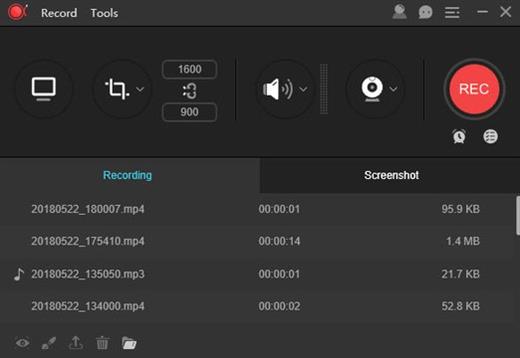
Record All Screen Activities
Record Screen
Record screen activities on your display.
Record Webcam
Record webcam only or record webcam with screen.
Record Audio
Record system sound and microphone.
Add Annotation
Add texts, lines, arrows and other real-time editing works.
Edit Video
Trim video length, add a watermark and other advanced editing.
Task Recording
Create scheduled recording tasks to record PC screen \ webcam at a specific time automatically, setting the start and stop recording time as you want.
Zoom Recording
Zoom in on a certain part of area during screen recording by using default shortcut key F10, enlarging the recording content you want to show specifically.
Locked Windows Recording
Record a specific window or program exclusively, and the recording process won't be interrupted even when you are using other programs.
Spotlight Recording
Emphasize certain part of the recorded screen by using default shortcut key F4, highlighting the screen recording details.
Release Name: ApowerREC 1.8.5.1
Size: 68.3 MB
Links: HOMEPAGE – NFO – Torrent Search
Download: RAPiDGATOR



