

Bartender 6.4.2

Bartender lets you organize your menu bar apps.
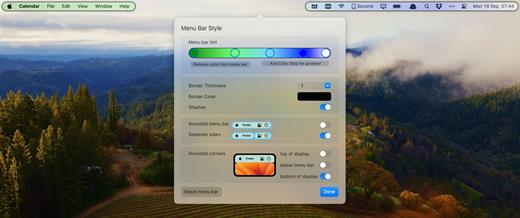
Features
- Take control of your menu bar – With Bartender you can choose which apps stay in the menu bar, are displayed in the Bartender Bar or are hidden completely.
- The Bartender Bar – The Bartender Bar can be displayed and hidden as you want, by clicking on the Bartender Icon or via a hot key.
- Menu bar apps still work the same – Apps still work the same when they are in the Bartender Bar allowing you quick access to them when needed, but keeping them out of sight when not.
- Show an app in the menu bar when it updates – Set up your apps to be displayed in the menu bar for a period of time when they update.
- Order your menu bar items – With Bartender you can set the order of the menu bar items, both in the menu bar and in the Bartender Bar, simply by ⌘+dragging the items. The order you set is maintained after restarts. So your menu bar items are always in the order you want.
- Minimalism – If you want a really clean look and privacy, Bartender can also be hidden.
- The Bartender Bar can be placed where you want – The Bartender Bar can be moved at any time to any horizontal position immediately under the menu bar. Or it can open under the Bartender icon.
- Keyboard Navigate your menu bar items – Keyboard navigate all menu items both in the menu bar and the Bartender Bar; simply arrow through them and press return to select.
- Search menu bar items – You can search the Bartender Bar for menu items, allowing you quick access to a menu item without looking for it. Simply display the Bartender Bar and start typing, then press enter to select the menu item.
What’s New
Version 6.4.2:
- Release notes were unavailable when this listing was updated.
macOS 14.0 or later
Release Name: Bartender 6.4.2
Size: 25.6 MB
Links: HOMEPAGE – NFO – Torrent Search
Download: RAPiDGATOR



