Parallels Desktop Business Edition 18.2.0-53488
Parallels Desktop allows you to run Windows and Mac applications side by side. Choose your view to make Windows invisible while still using its applications, or keep the familiar Windows background and controls on your Mac.
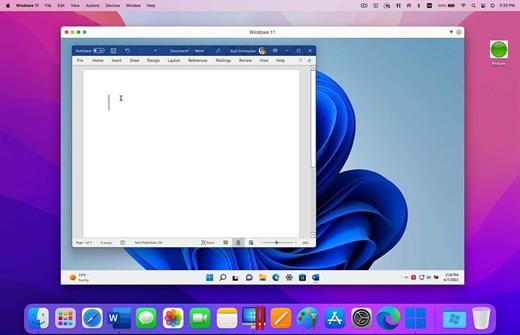
Now Supporting Windows 11 and macOS Monterey
- Optimized for Windows 11 and macOS Monterey, Parallels Desktop continues to stay up to date so you can keep working without interruption.
- We make it easy to get all of your files, applications, browser bookmarks, and more from your PC to your Mac; just follow the setup assistant.
- Reuse your existing Boot Camp installation. Converting a virtual machine from Boot Camp is now much easier and more intuitive than ever.
- Run a wide array of operating systems including OS X, Windows 10, 8.1 & 7, Linux, and Google ChromeTM. You can run just about anything on your Mac!
- Select productivity, games, design, or development, and Parallels Desktop 11 for Mac will optimize your virtual machine settings and performance for you.
- Parallels Desktop Pro Edition gives your virtual machines more processing power. Up to 64 GB vRAM and 16 vCPUs per virtual machine lets you run even the most demanding applications with ease.
- Keep IT in control of end user licenses and Windows virtual machines with a Unified Volume License Key, centralized license management, and advanced security features available in Parallels Desktop Business Edition.
Version 18.2.0:
Parallels Desktop for Mac 18.2 (53488) update addresses the overall stability and security issues and includes the following additions and improvements:
- Adds support for Red Hat Enterprise Linux 9.1 on Mac computers with M-series chips
- Enables better feature discovery by displaying clearly marked Pro edition features to the users of the Standard edition. Pro-labeled features can be hidden with a click
- Fixes an issue of broken video playback on Ubuntu 22.04 VMs after suspension and resumption
- Fixes an issue of slow network upload speeds on Windows 11 for Arm VMs
- Fixes an issue of Safari missing from the list of available browsers in Windows 11
- Fixes an issue of inability to write or delete files on a VM-connected SD card
- Fixes an issue of Pytha CAD software incorrectly displaying black lines on 3D objects
- Adds the ability to automate the execution of CLI prlctl exec/enter commands within the virtual machine on macOS VMs on Mac computers with M-series chips
- Fixes an issue where mass deployment fails with a "launch path not accessible" error
- Provides updated administrator’s guides
macOS 10.14.6 or later
Apple Silicon or Intel Core processor
Release Name: Parallels Desktop Business Edition 18.2.0-53488
Size: 330.7 MB
Links: HOMEPAGE – NFO – Torrent Search
Download: UPLOADGiG – NiTROFLARE – RAPiDGATOR