

PrintLab Studio 3.0.2

PrintLab Studio 3 is a lightweight and easy to use vector drawing illustration application for macOS.
PrintLab Studio 3 has tools you need to create basic shapes. Create designs quickly and easily change styles.
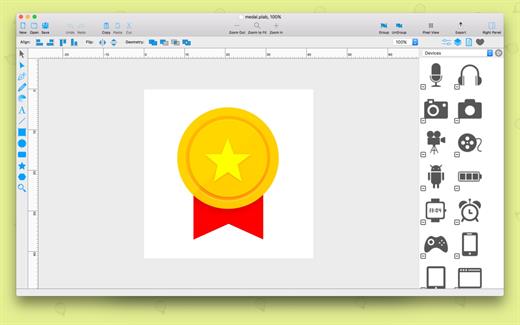
Notable features
– Layers
– Text Editing
– Multi-color Gradients
– iWork Style Color Picker
– Stroke features – Multiple Strokes: Outside, Center, Inside
– Multiple Fills
– Dimensioning
– Shape library – ready design elements
– Ready Templates
– Import SVG vector files
– Import CorelDraw *cdr vector files
– Import JPG, PNG, PDF, BMP files
– Import PSD, Ai and EPS files as bitmap
– Export as PNG, JPG and TIFF
– Export as SVG vector file
– Export as PDF file
PrintLab Studio 3 allows you import SVG files and edit them on macOS. After importing files you can
– Rotate and Scale shapes
– Move Shapes
– Edit objects
– Add other shapes like Rectangle, Text, Oval, Star, Triangle or Custom shape with Pen Tool
– Change Colors
– Change Gradient
– Open Multi-Page files
– Change Stroke Width and Color
– Print
– Save as PNG, JPG, PDF, TIFF and SVG
– Save as PDF
What’s New
Version 3.0.2:
- Release notes were unavailable when this listing was updated.
OS X 10.8 or later
Apple Silicon or Intel Core processor
Release Name: PrintLab Studio 3.0.2
Size: 46.1 MB
Links: HOMEPAGE – NFO – Torrent Search
Download: UPLOADGiG – NiTROFLARE – RAPiDGATOR



