

UTM Virtual Machines 3.2.4

Description: UTM is a full featured system emulator and virtual machine host for iOS and macOS. It is based off of QEMU. In short, it allows you to run Windows, Linux, and more on your Mac, iPhone, and iPad
UTM employs Apple’s Hypervisor virtualization framework to run ARM64 operating systems on Apple Silicon at near native speeds. On Intel Macs, x86/x64 operating system can be virtualized. In addition, lower performance emulation is available to run x86/x64 on Apple Silicon as well as ARM64 on Intel. For developers and enthusiasts, there are dozens of other emulated processors as well including: ARM32, MIPS, PPC, and RISC-V. Your Mac can now truly run anything.
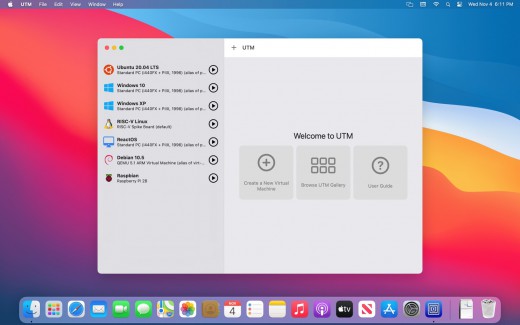
Features:
- Full system emulation (MMU, devices, etc) using QEMU
- 30+ processors supported including x86_64, ARM64, and RISC-V
- VGA graphics mode using SPICE and QXL
- Text terminal mode
- USB devices
- JIT based acceleration using QEMU TCG
- Frontend designed from scratch for macOS 11 and iOS 11+ using the latest and greatest APIs
- Create, manage, run VMs directly from your device
What’s New
Version 3.2.4:
Highlights
- QEMU 7.0.0: The backend has been updated to the latest release. Check out https://www.qemu.org/2022/04/19/qemu-7-0-0/ for more details. Additionally, other backend components such as SPICE GTK, libusbredir, and more have also been updated.
- Reclaiming space: the host will attempt to TRIM any page of all zeros when committed to the QCOW2 disk image. Additionally, a new button in disk settings will allow you to re-convert a disk image to reclaim space (of all-zero pages) as well as compress an existing disk image (macOS 12+ only). Note compression is only done statically which means when the guest modifies a sector, it will be stored uncompressed just like before.
- Disposable mode: right click/long press on a QEMU VM and select "Run without saving changes" to start VM in "disposable mode." In this mode, changes will not be saved to disk and will be discarded once the VM is stopped.
- Reminder: for troubleshooting common Windows install issues (such as no networking), please check out the guide or this guide for Ubuntu install issues.
- If you manually added
highmem=onorhighmem=offto your QEMU Machine Properties as a workaround to issues in a previous release, please remove it. - (iOS) UTM v3.2.x will be the last update to support iOS 11-13. If you are still running those versions, please make sure you report any issues now so they can be fixed by the final release of v3.2.x. After that, iOS 14+ will be required to run future versions of UTM.
- Fixed isolated network mode with new vmnet backend (#4022)
- Fixed some USB devices not showing up for USB capture (#3975)
- (iOS) Added tap to click with Apple Pencil (thanks @luken11)
- (macOS) Workaround a SwiftUI freeze then crash in the home view when the scrollbar is visible (#3612)
- (macOS) Fixed an error loading Apple Virtualization VMs after updating from macOS 11 to macOS 12 (#4023)
- (macOS) Fixed secondary click using Control+Click on the VM list (#4018)
Size: 261.28 MB
Links: HOMEPAGE – NFO – Torrent Search
Download: UPLOADGiG – NiTROFLARE – RAPiDGATOR



